Razer Reclusa X Mini 65% gaming keyboard review
About
Overview
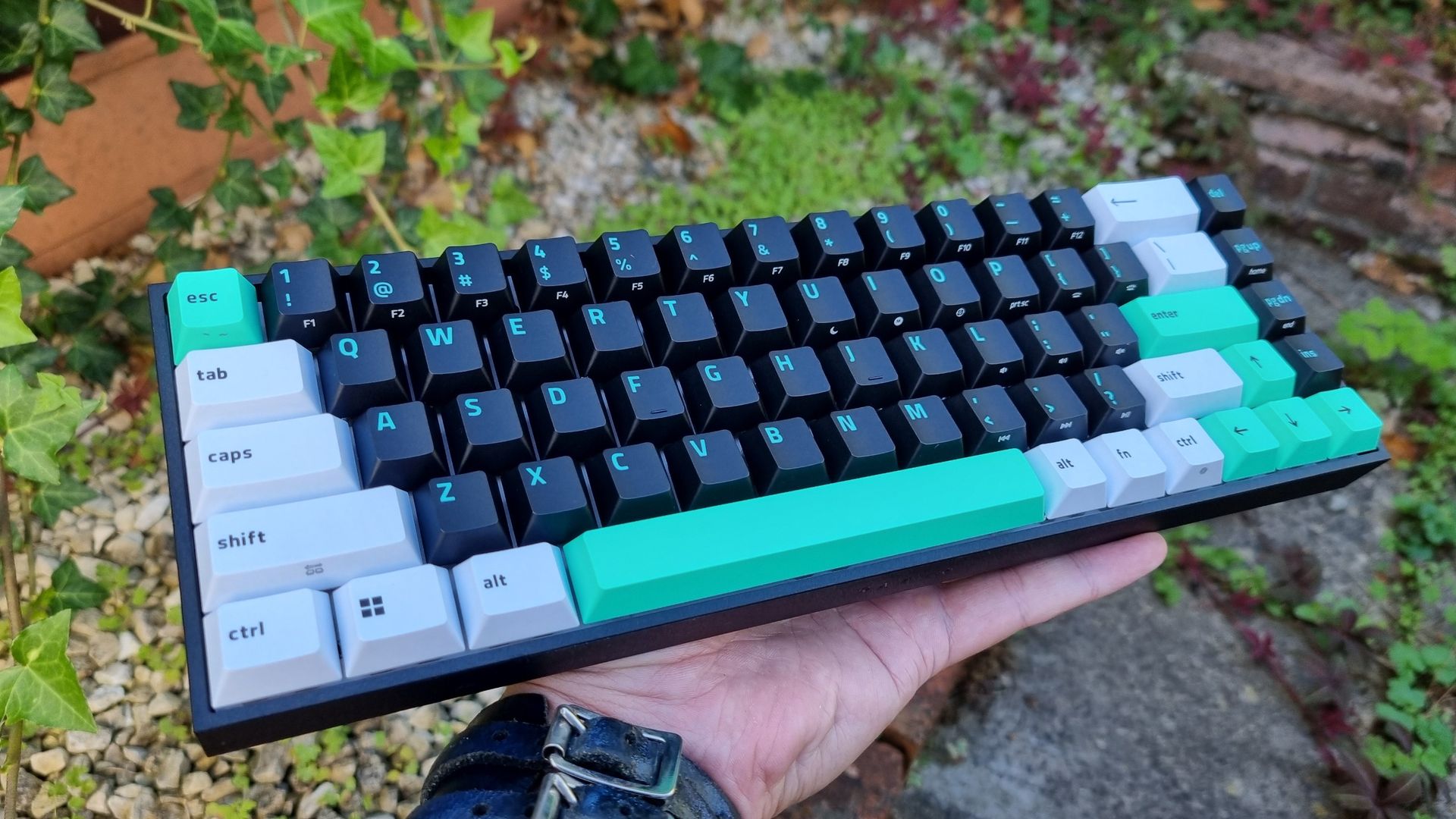
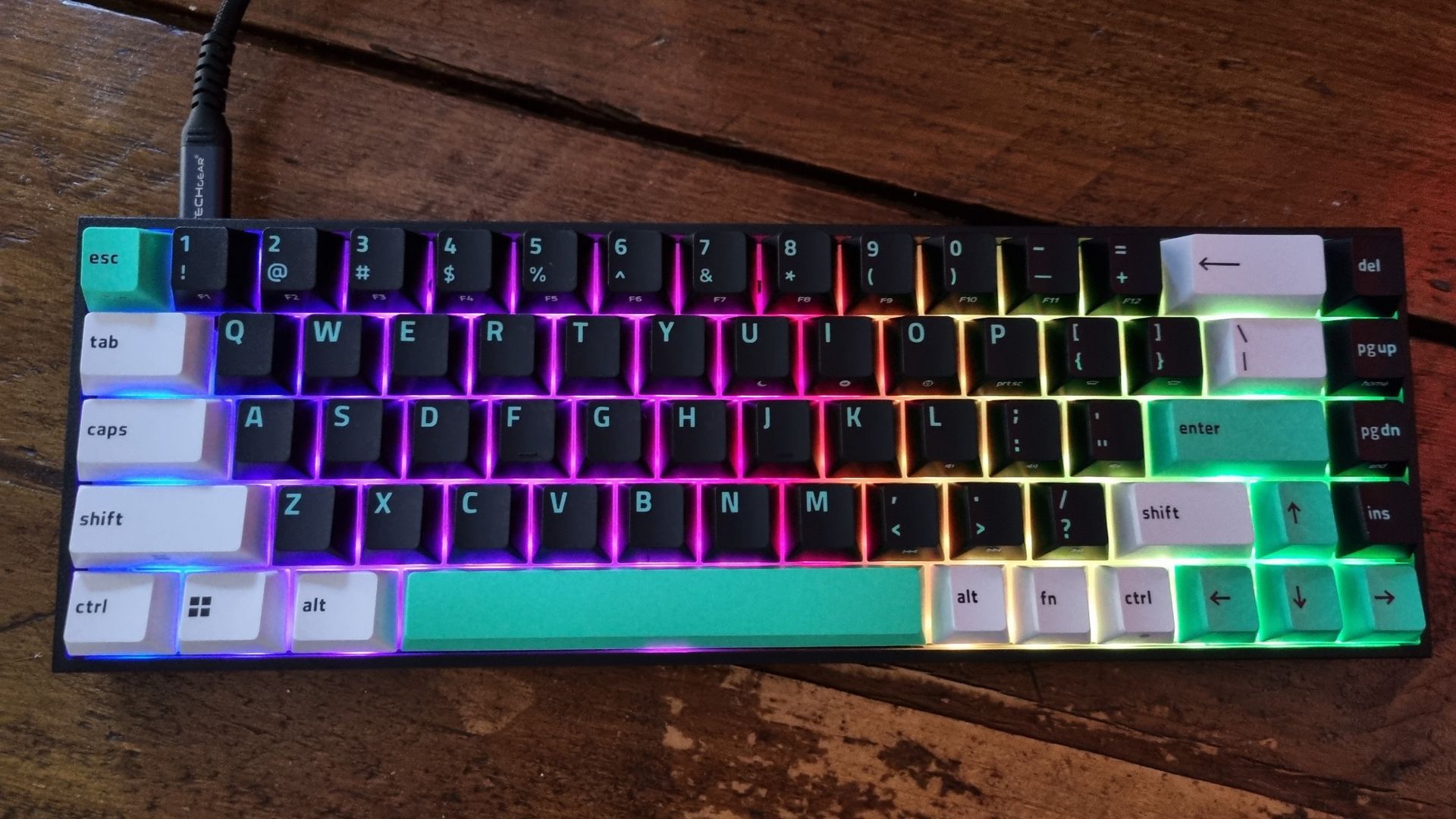
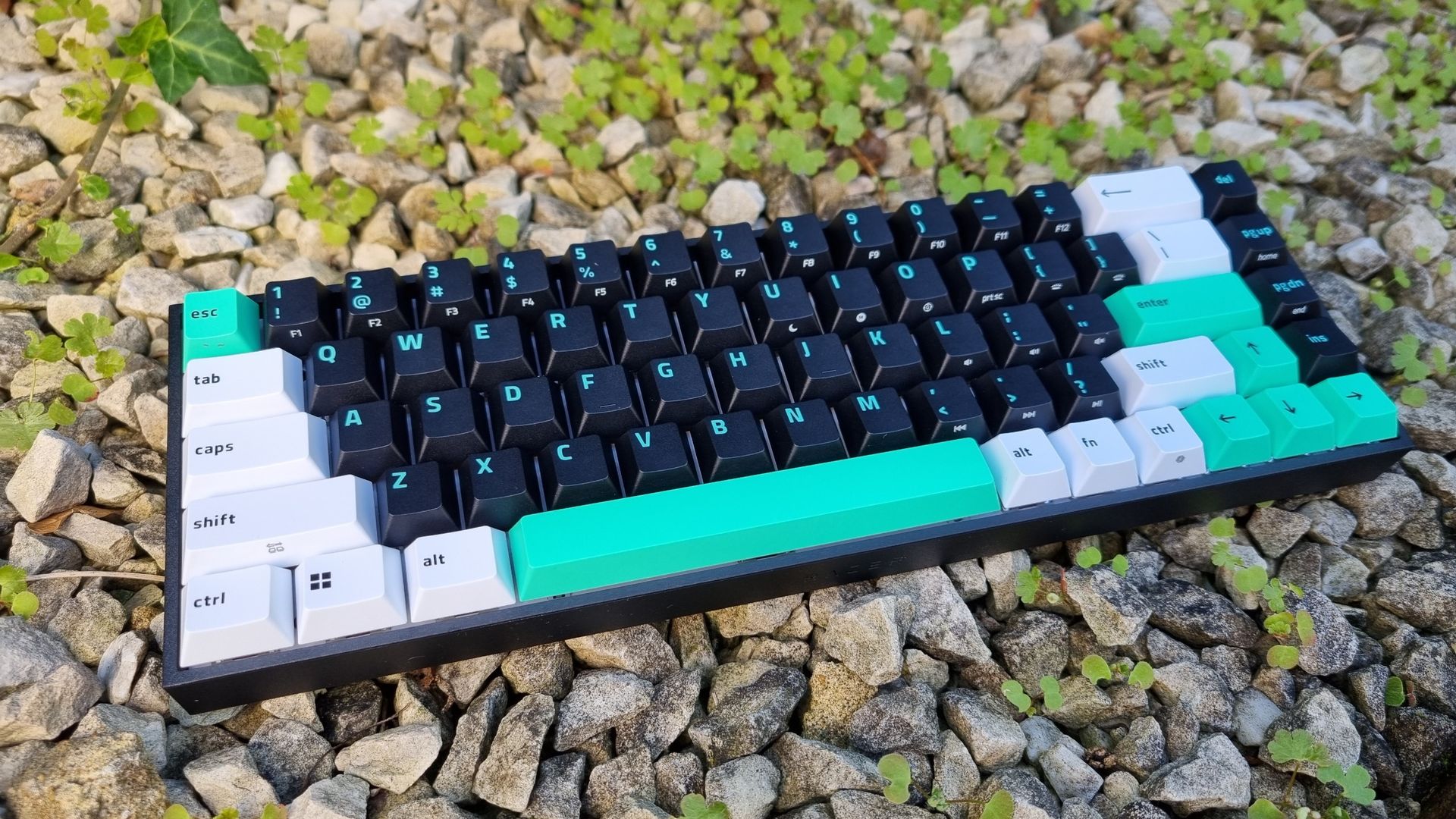
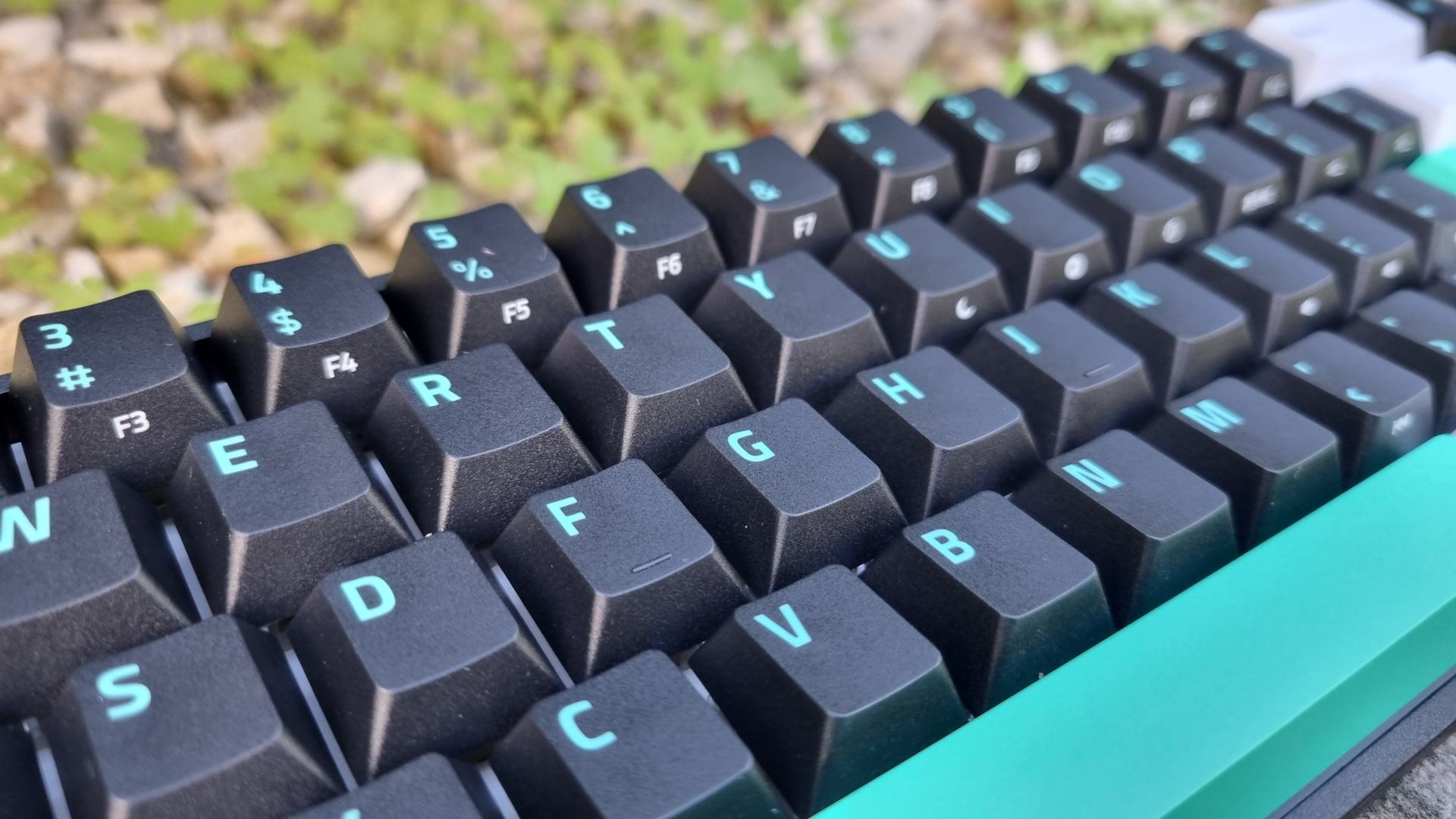
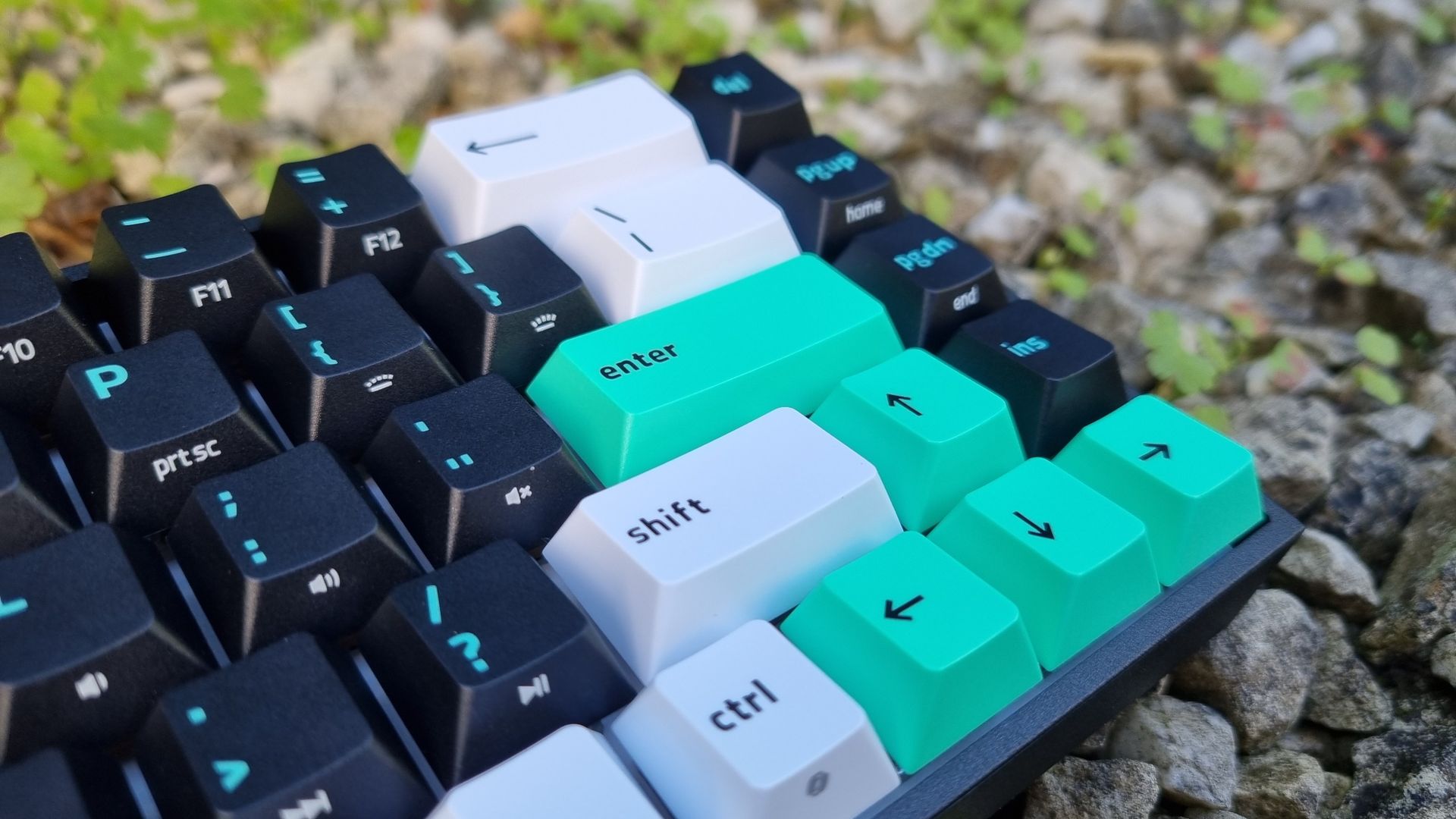
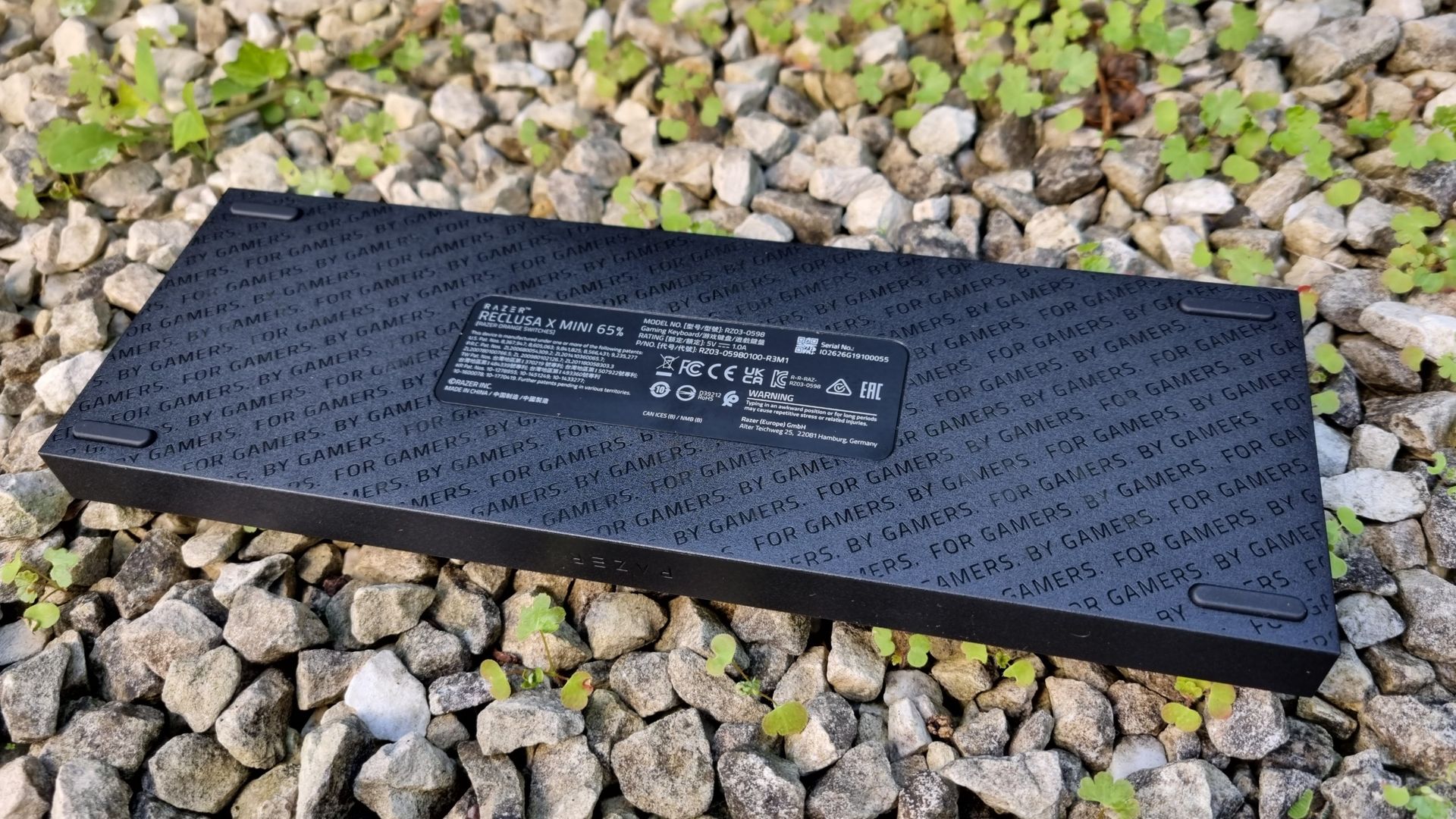
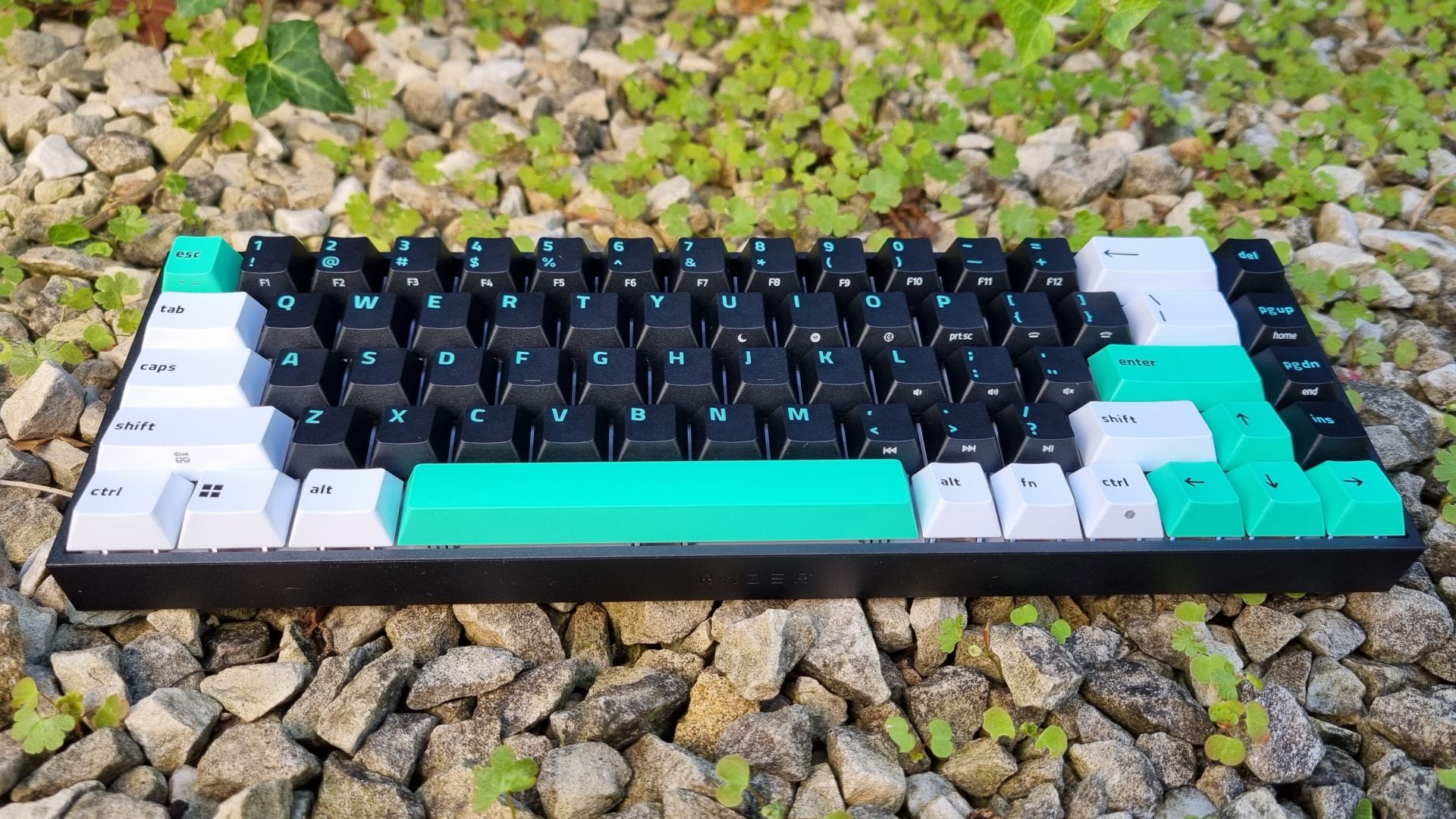
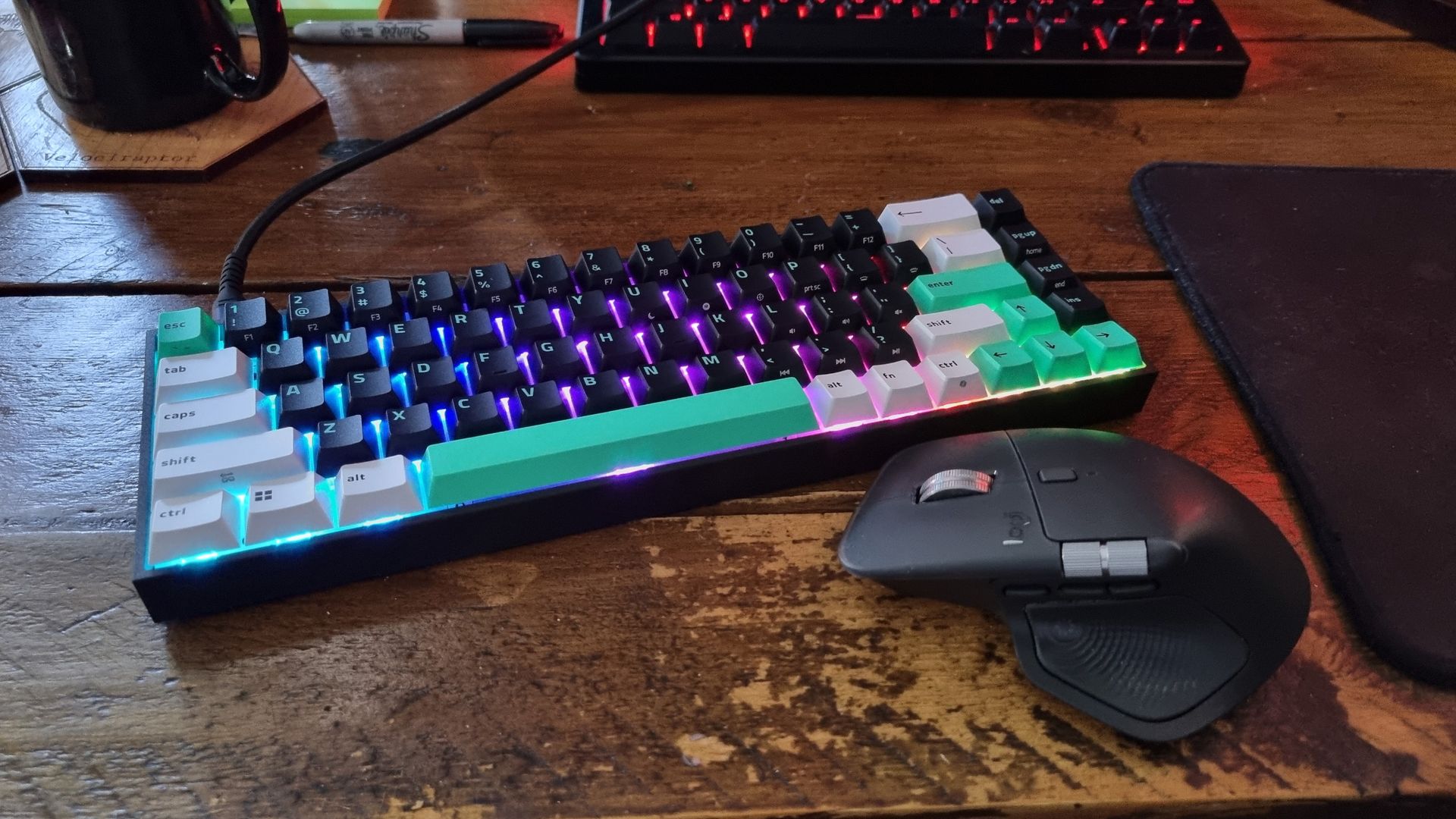
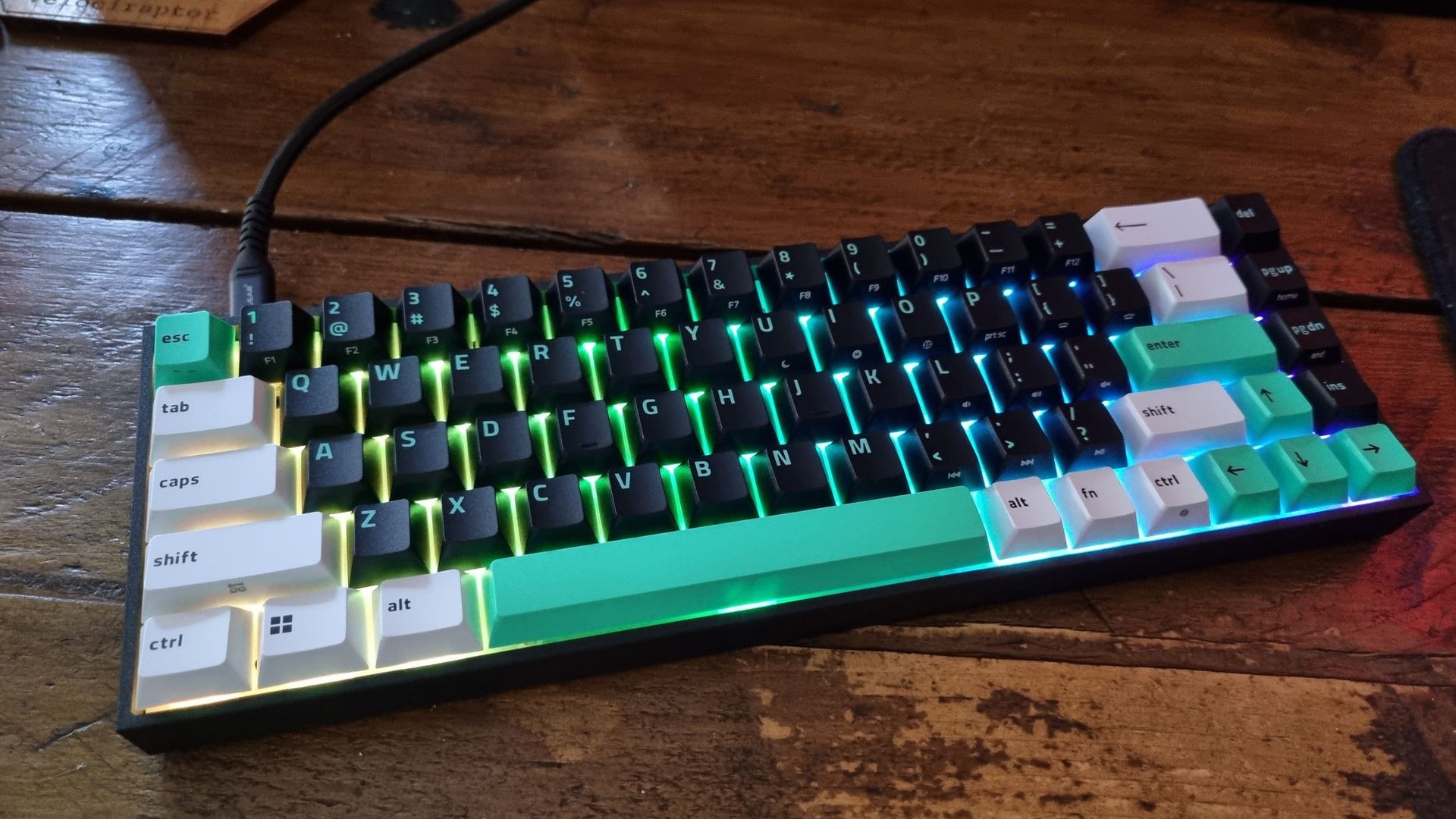
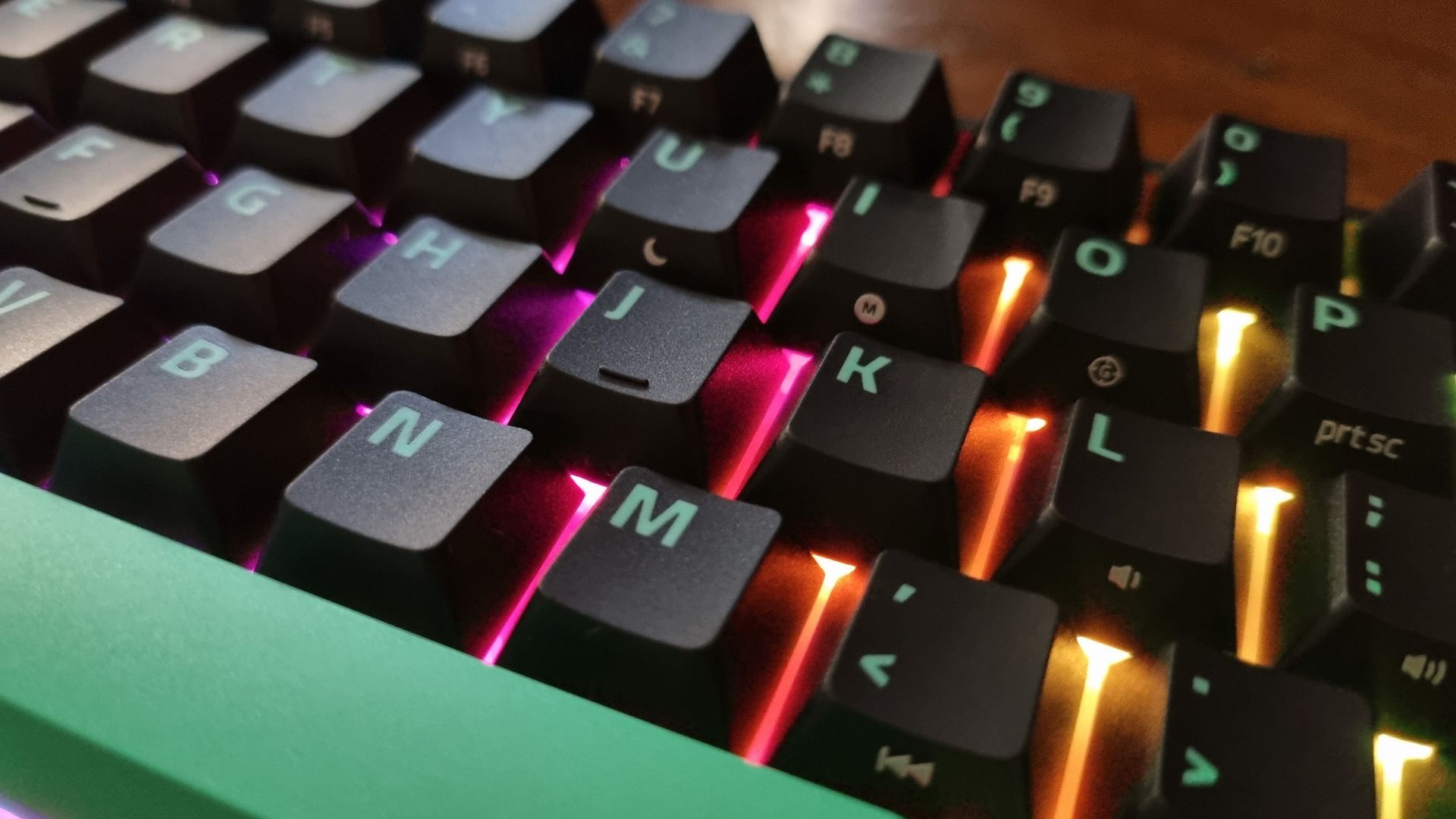
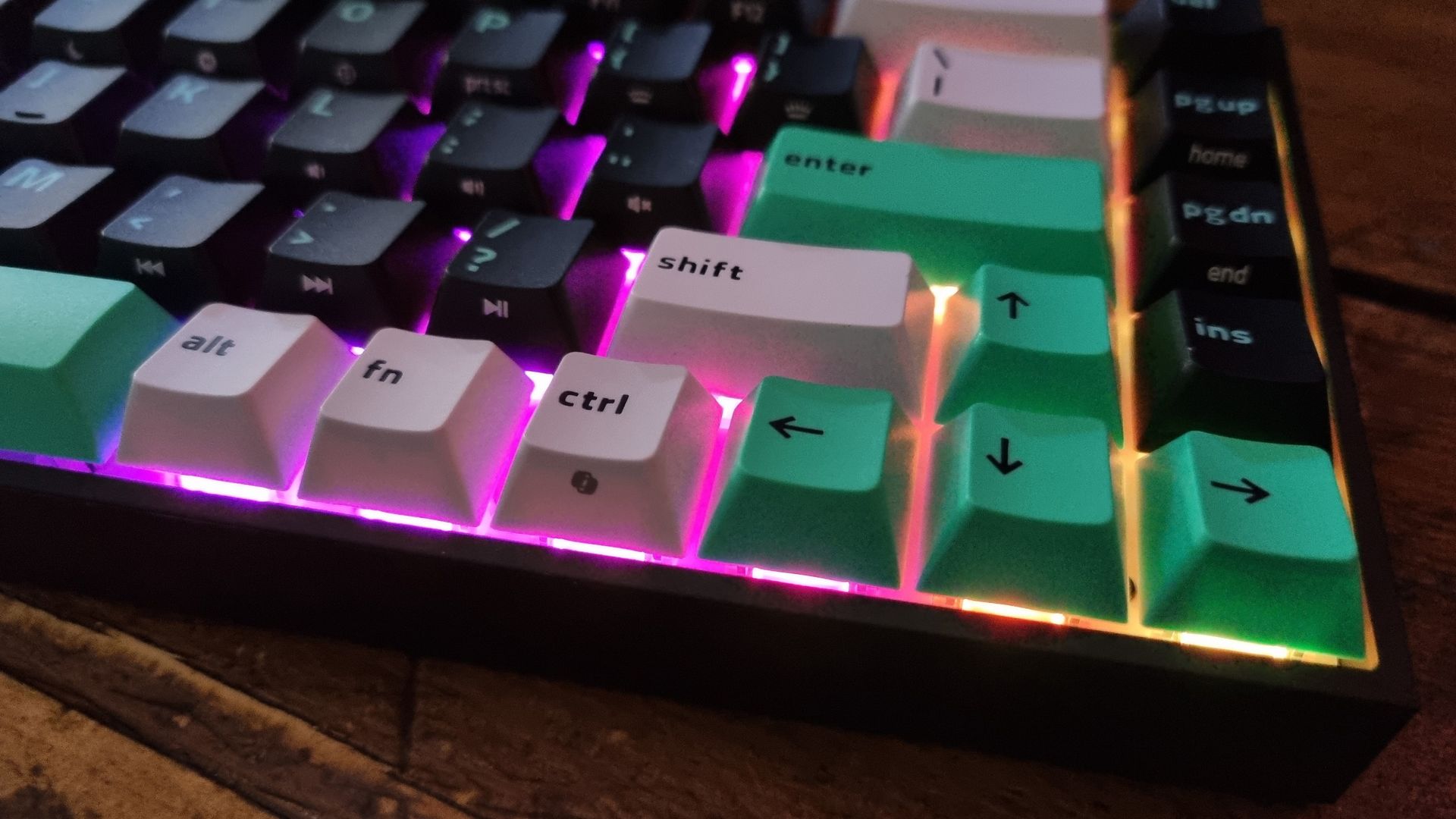
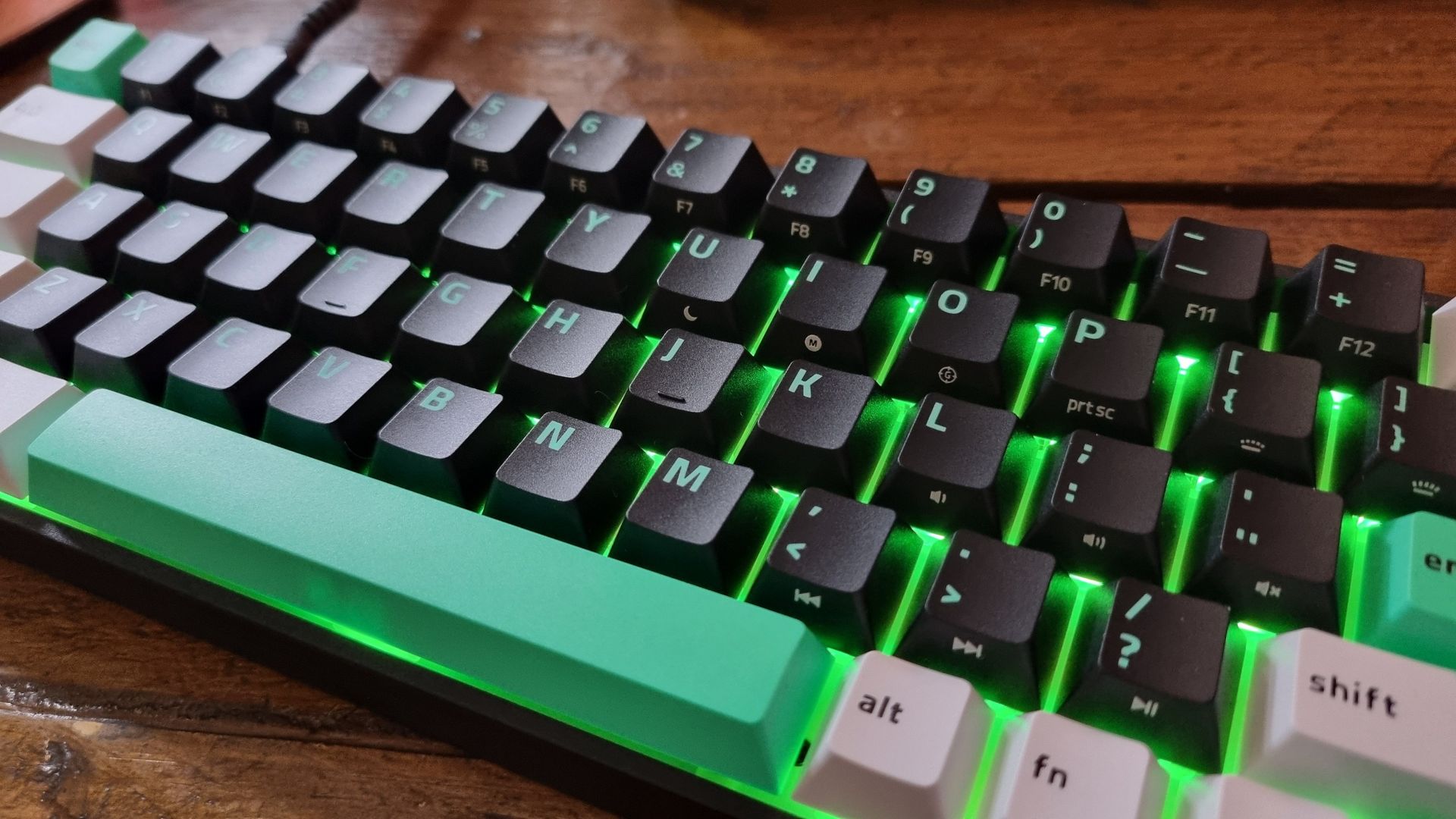
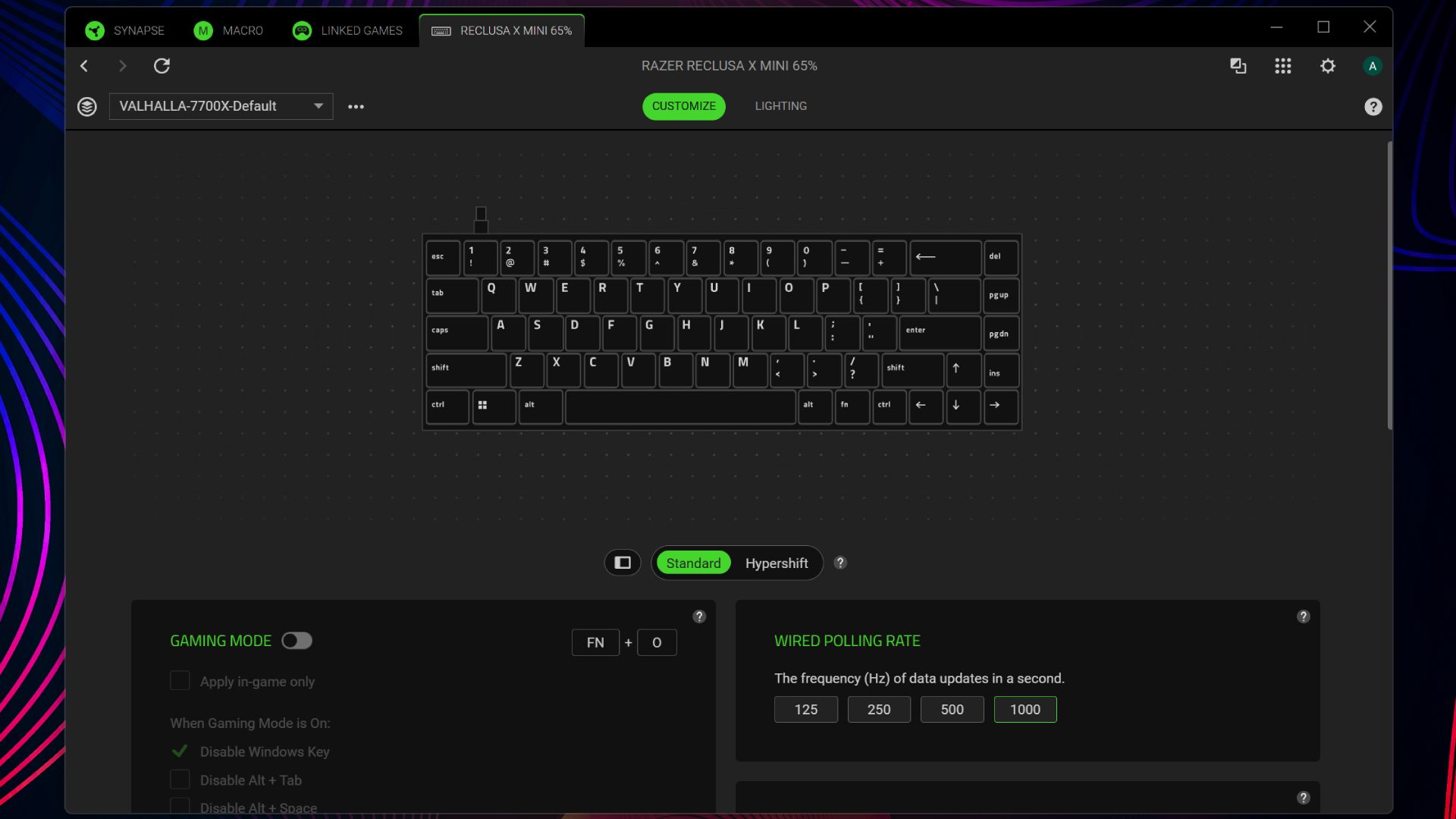
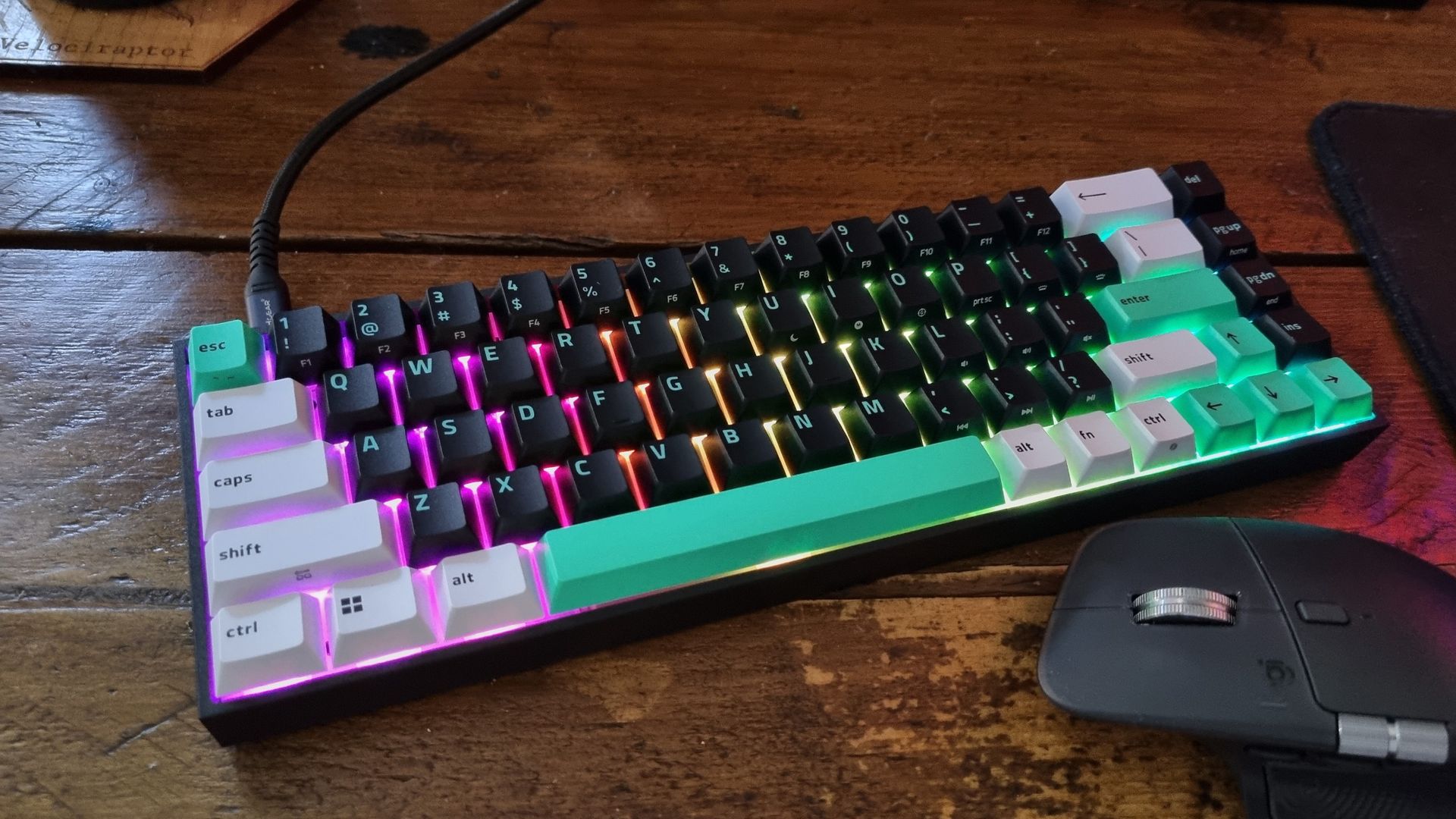
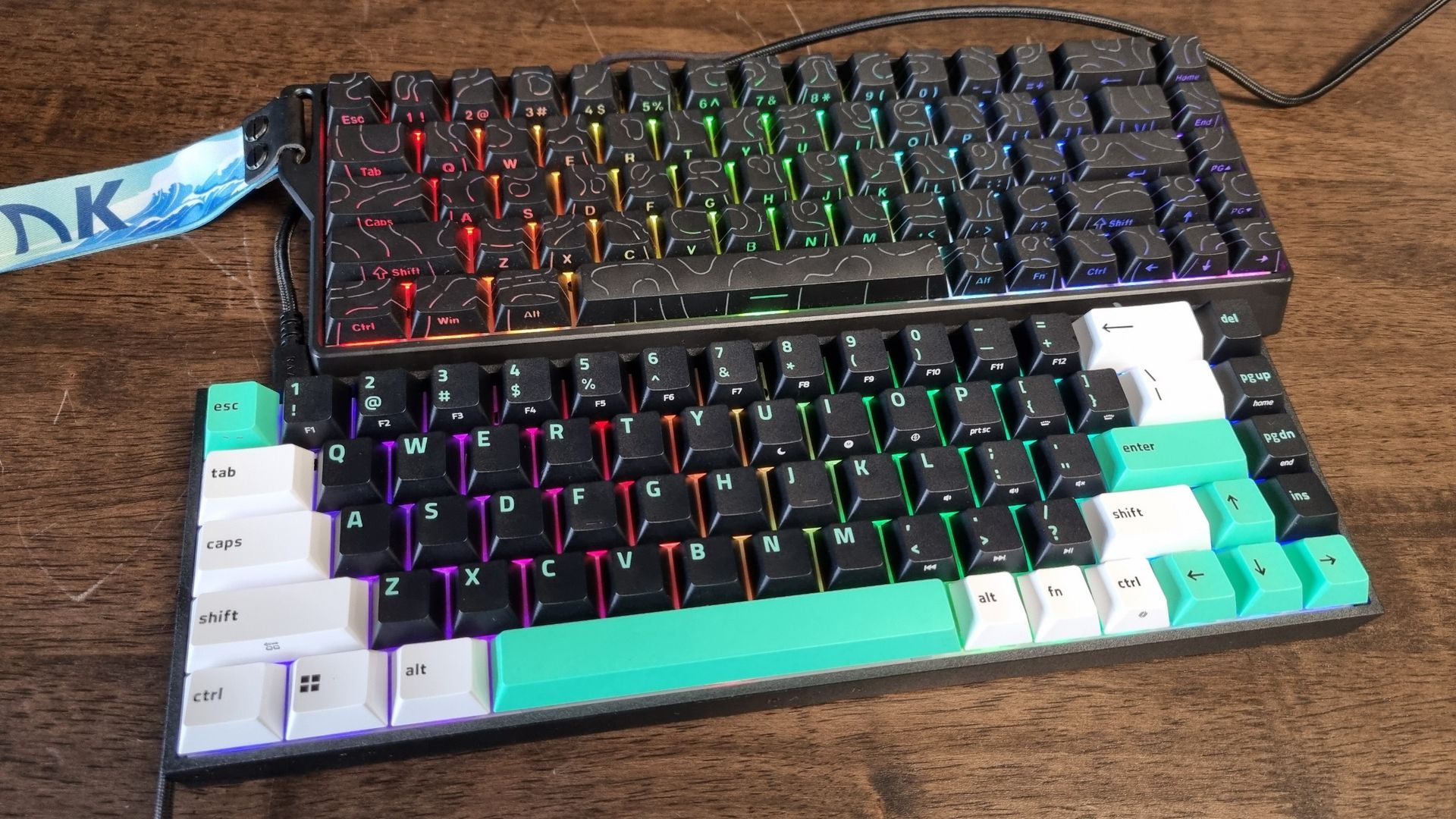
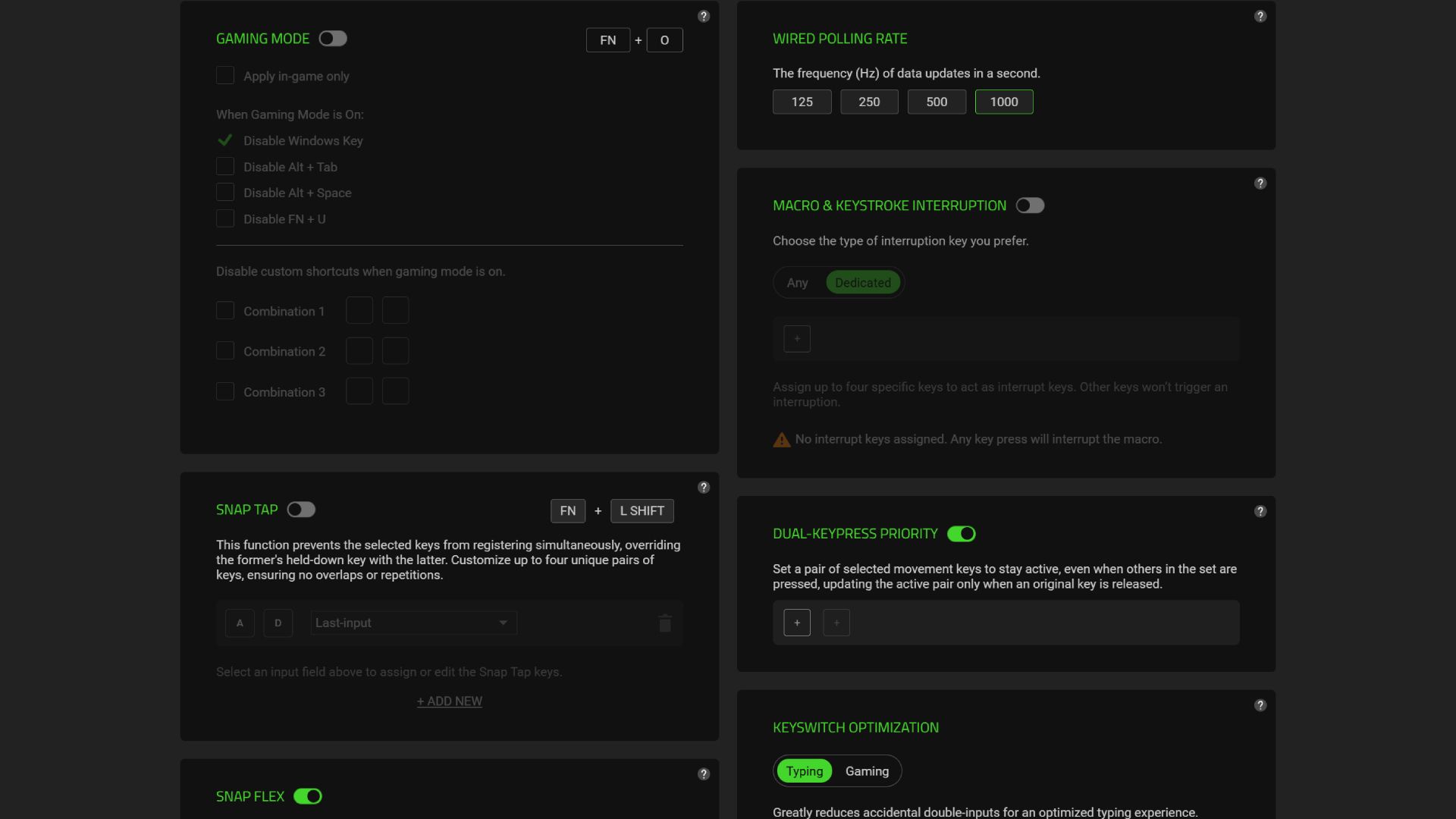
While Razer makes some excellent headsets, laptops, and gaming mice, I've never been particularly keen on its keyboards. They tend to be decent devices overall, but are usually expensive enough that you can get more bang for your buck from the competition. However, there's a new budget offering in town from the big green snake, and it's called the Razer Reclusa X Mini 65%. Those of you familiar with keyboard percentage figures (and the term "mini") will likely deduce that this is a small keeb. There's no numpad to be found here, but at least you get all the main keys needed for day to day usage. It doesn't feel constrictive to type on, and it sure is a good-looking device—but the main thing that impresses me is the build quality, especially given the MSRP. This is a $50/£60 gaming keyboard, but it feels more expensive than that. The doubleshot ABS keycaps are crisp, the switches are meaty, and its diminutive frame resists flexing to an admirable degree. If you told me this sharp little keyboard retailed for $80, I would absolutely believe you. For $50 at full price? I think it's a damn good bit of gaming hardware for the cash. The specs sheet isn't particularly impressive, I'll give you that. 1,000 Hz wired polling, no Hall effect switches, no dedicated multimedia keys. And there's no height adjustment. But if what you're looking for in your next gaming keyboard is something that doesn't take up much room on your desk, feels great to type and game on, and doesn't break the bank, I reckon the little Reclusa is very hard to beat. ✅ You want a proper enthusiast keeb on a budget: I'm used to $50 gaming keyboards feeling… well, cheap. This one feels like a genuine enthusiast keyboard, without the prohibitive price tag. ✅ You want something small and stylish: The Reclusa X Mini 65% doesn't take up much room on your desk, and looks downright excellent with a dash of RGB. ❌ You want something with competitive gamer specs: The Reclusa is plenty good enough for most gamers, but there's no 8,000 Hz polling or fancy Hall effect switches to play with. ❌ You want dedicated media keys: There's simply no room for anything beyond a 65% layout, so no single-purpose media knobs or buttons for you. Layout 65% Switches Razer Gen-3 Orange Tactile, mechanical Travel distance 3.5 mm Actuation force 50 g Polling rate 1,000 Hz RGB lighting Yes Dedicated multimedia keys No Connection Wired, USB Type-C to Type-A Price The Reclusa X Mini 65% is a small keyboard. That's the first thing you'll notice when you pull it from the box. The second thing is the white, green, and black colour scheme, and its reasonable weight. It's around 700 g according to my miniature scales. That's positively featherweight compared to my brass-plated custom Glorious GMMK 3, but thanks to the robust-feeling chassis, it's not light enough to cause immediate concern. It's got lovely crisp keycaps, too, being of the doubleshot ABS variety. The switches underneath are Razer's Gen-3 Orange tactile models, and they're also pretty snappy—although you can hotswap them out for your preferred three-pin or five-pin models if you wish. Inside, the Reclusa X Mini has dual layer silicone sound dampening sandwiched within its frame. Esports-fuelled, 8,000 Hz polling enthusiasts won't be blown away by its 1,000 Hz rate, but the rest of us will likely find it plenty speedy enough. It's also a wired keeb only, which I actually prefer. Wireless keyboards have a tendency to end up plugged in all the time on your desk, as having another device to charge usually creates more hassle than it's worth. Plus, eschewing a wireless receiver keeps the price down. Software feature-wise, you get Snap Tap (Razer's name for SOCD), Snap Flex for assigning specific actions to a key release, and Dual-Keypress Priority, which aims to make game movement more consistent by only registering a new directional input once you've let go of two previous ones. All via Razer Synapse, of course, which is where you can also control the lighting. And rather impressive lighting it is, too. The LEDs are south-facing, which should mean the glow shines properly beneath a wide range of keycaps. It's currently lit up in an icey blue as I write this review, and it's a sharp-looking effect. Admittedly I can spot a bit of light escaping through the bottom of the keycap material, but it's no big deal. I used to be a full-size keyboard enjoyer, but every time I see one these days they look increasingly desk-dominating. Even by 65% keyboard standards, though, the Reclusa X Mini is diminutive. It's a teeny little keeb, but that doesn't mean that typing on it feels constrictive. Quite the opposite, in fact. The keycaps are full-sized, the layout is comfortable, and the crisp edges of both the chassis and the keycap design make for a precise-feeling experience. The effect is enhanced by the Orange tactile switches, which have a meaty 50 g actuation force and 3.5 mm travel distance. I've found my typing accuracy to improve with these accidental-keypress-resistant switches, although they won't be to everyone's taste. They also feel nicely weighty for gaming inputs, which makes this keeb a genuine joy to play shooters on. Plus, given the smaller sizing, there's plenty of room left on your desk to position this keeb exactly where you want it. If you're a desk mat user, your gaming mouse will have lots of space to roam around on. Or if you're me, there'll be more room for snacks. Razer's keyboards might be getting smaller, but I'm getting l-l-l-larger. Anyway, while the Reclusa X Mini might not have anything particularly special going on in the ergonomics department, it's got most of the things you reasonably need, implemented in very tactile, satisfying ways. My one hang up is the lack of feet on the underside for height and tilt adjustability. The Reclusa's chassis is already tilted towards you quite significantly, and for me, it's pretty much perfect. However, those that like a more aggressive tilt (or a flatter typing experience) have no built-in option to change it. May I suggest, err, propping it up with a coaster? I tend to like my hardware fully stealthed-out in black, wherever possible. And I usually hate colour mismatched keycaps. However, the Reclusa X Mini's black/green/white colour combo is very aesthetically pleasing in person. Add some RGB lighting underneath to taste, and you've got yourself a seriously stylish input device. It looks (and as I've pointed out above, feels) like a better keyboard than its $50 price tag suggests. I particularly like the defined edge running around the top of the outer chassis, which is tucked in enough that it doesn't interfere with my palms or dangling fingers when I'm gaming/typing, but gives the whole thing a crisp, edge-cut look. To misquote ZZ Top, this is a sharp-dressed keeb. And should you wish to customise it to your tastes later on, the swappable keycaps should make the whole process reasonably straightforward. I want for little else in the aesthetics department, that's for sure. Ah, keyboard sound. The most subjective of subjects. I first heard the Razer Reclusa X Mini 65% in a crowded booth at Gamescom earlier this year, and it had a crispy, crunchy quality to it that I rather enjoyed. Typing on it in my quiet front room, I think it's perhaps a little more divisive than I initially realised. Still, I personally like the way the Reclusa sounds. The internal deadening layers (in combination with the slightly-crunchy switches and the thick keycaps) make for a satisfying aural experience, although it's far from the quietest. (volume up!) One person's crispy, crunchy delight is another's ear-annoying nightmare. However, there's a slight weightiness to the typing noise that again makes the little Razer more reminiscent of a high-end, enthusiast-level product. It's a sort of… self-assured sound, with no distracting switch-pinging. Crispy, crunchy, and clean. That's about as far as I can go via the medium of text to describe such a sound, so I'll let you be the judge for yourself by listening to the video clip above. Razer Synapse is not my favourite piece of software, but at least it's fairly straightforward. Select the keeb within the homescreen menu, and you've got gaming mode to play with (in which you can disable the Windows key and any annoying key combos for a less frustrating experience), polling rates to play with (why you'd turn the rate down on a wired keyboard is beyond me) and various other goodies. And yes, the controversial Snap Tap feature lives here. I personally find that assisted counter-strafing doesn't improve my K:D ratio very much, so it's not exactly a game–changer for me. However, I'm also old and tired. Younger, more esports-level players may well find some benefit—although you should definitely avoid it in Counter Strike 2. Then there's Snap Flex, which allows you to assign up to four individual keys to perform two separate actions when pressed, then released. So, jump+grenade, that sort of thing. I haven't been able to find much use for it in everything I've played on this keyboard so far, but then I'm more of a slow-paced tactical shooter sort of guy than a Valorant fiend. That's what they're called these days, right? You can also assign macro and keystroke interruption to a dedicated key, which will come in handy for MMO-ers, or activate the Dual-Keypress Priority feature, which lets you set pairs of keys that will stay active when others are pressed for more consistent movement if you accidentally press the wrong direction key. These are all nice-to-have features, but are far from necessary for a good gaming keyboard. Still, Synapse does a good job of organizing them, and the more competitive gamers among us will likely find some good uses. Or ignore them entirely, and simply get on with the business of enjoying a really nice budget keeb. One of the two, at least. It feels like every review I write these days ends with the phrase "...it's a shame it's too expensive." However, in the Reclusa X Mini's case, I think its $50 price tag is darn impressive given the stout little keyboard you end up receiving. Its main competition in this price bracket comes in the form of the Gamakay x NaughShark NS68, a miniature keeb that has reigned supreme as our best budget gaming keyboard pick for some time now. It's got PBT keycaps, 8,000 Hz polling, and powerful Hall effect switches, all for a $40 MSRP. Which you prefer will likely come down to what features you value the most. While the NaughShark NS68 has a much better specs sheet, sticking the two side-by-side and using them for a day reveals something that surprises me. Out of the two, I'd happily pick the Razer without a second thought. It's a super-subjective thing, of course. And perhaps the NS68's cheap-feeling plastics (and to my eyes, ugly aesthetics) have caused me to misjudge it, given the technical hardware benefits inside. But typing and gaming on the Reclusa X Mini, thanks to those crisp keycaps and weighty switches, simply feels better to me—and it makes a much better noise, too. These are the things I value most in a good keyboard, whereas a more competitively-minded gamer may disagree. Still, I'll be keeping the little Razer on my desk for a while to come. Who would have thought a cheap mini keeb would be one of the best things I've tested so far this year? It's full of surprises, 2026. I'll give it that at least.Buy if...
Don't buy if...
Razer Reclusa X Mini 65%: Features
Razer Reclusa X Mini 65%: Ergonomics
Details
Razer Reclusa X Mini 65%: Aesthetics
Razer Reclusa X Mini 65%: Sound
Razer Reclusa X Mini 65%: Software
Razer Reclusa X Mini 65%: Value
Source
Originally published at www.pcgamer.com.